image
01

01Press kit
Everything you need for press coverage, reviews and content creation: the CutOrbit mark, colours and screenshots, plus icons and screenshots of the desktop craft apps.
03Colours
Reference
01
#f2f1ee
Reference
02
#101014
Reference
03
#bc832e
Reference
04
#ca8f37
04Screenshots
image
01
05Crafting Apps icons
image
01
image
02
image
03

image
04
image
05
image
06
image
07

06Screenshots & media
image
01
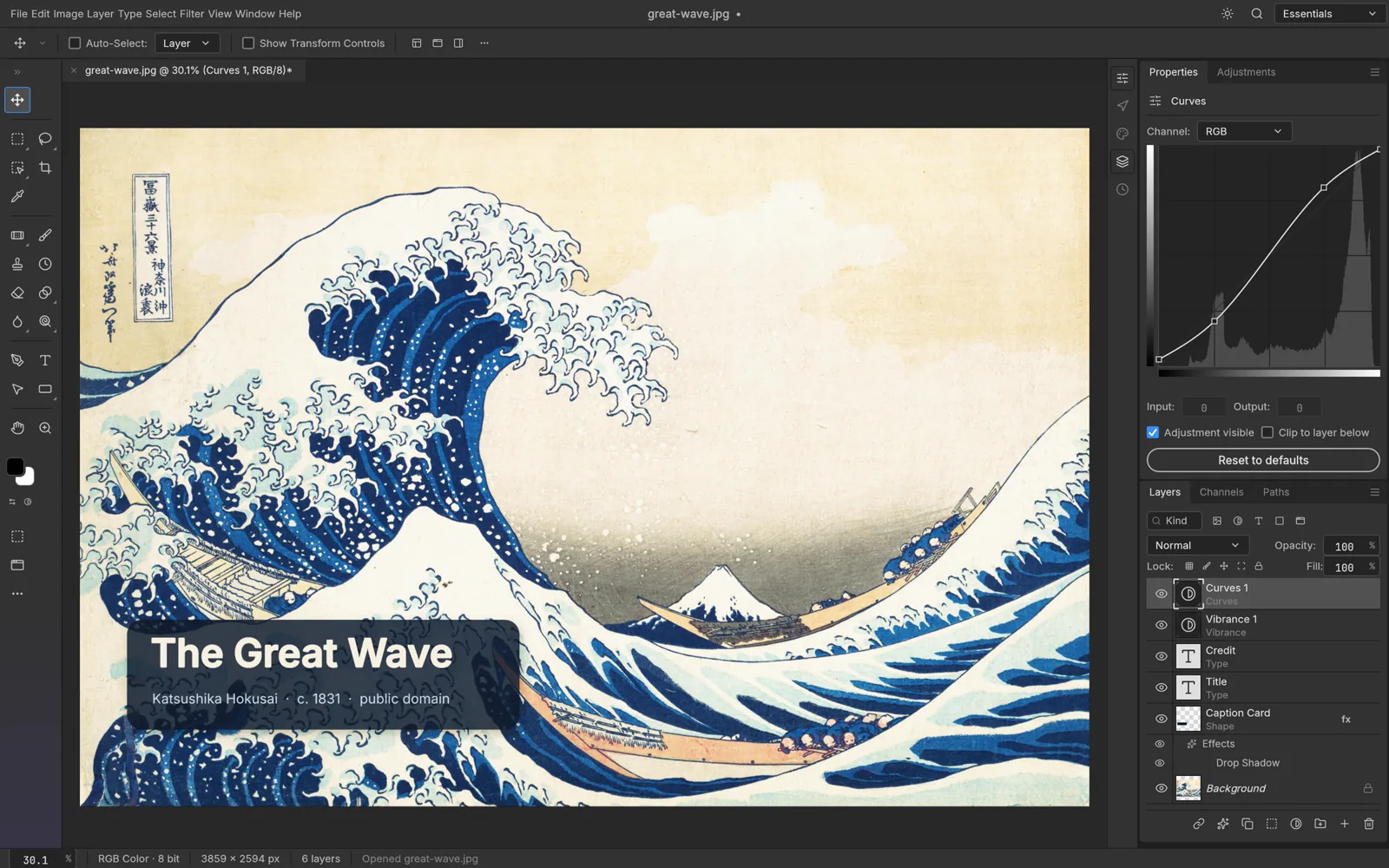
PhotoCraft editing The Great Wave off Kanagawa with a Curves adjustment and type layers in the Layers panel
image
02
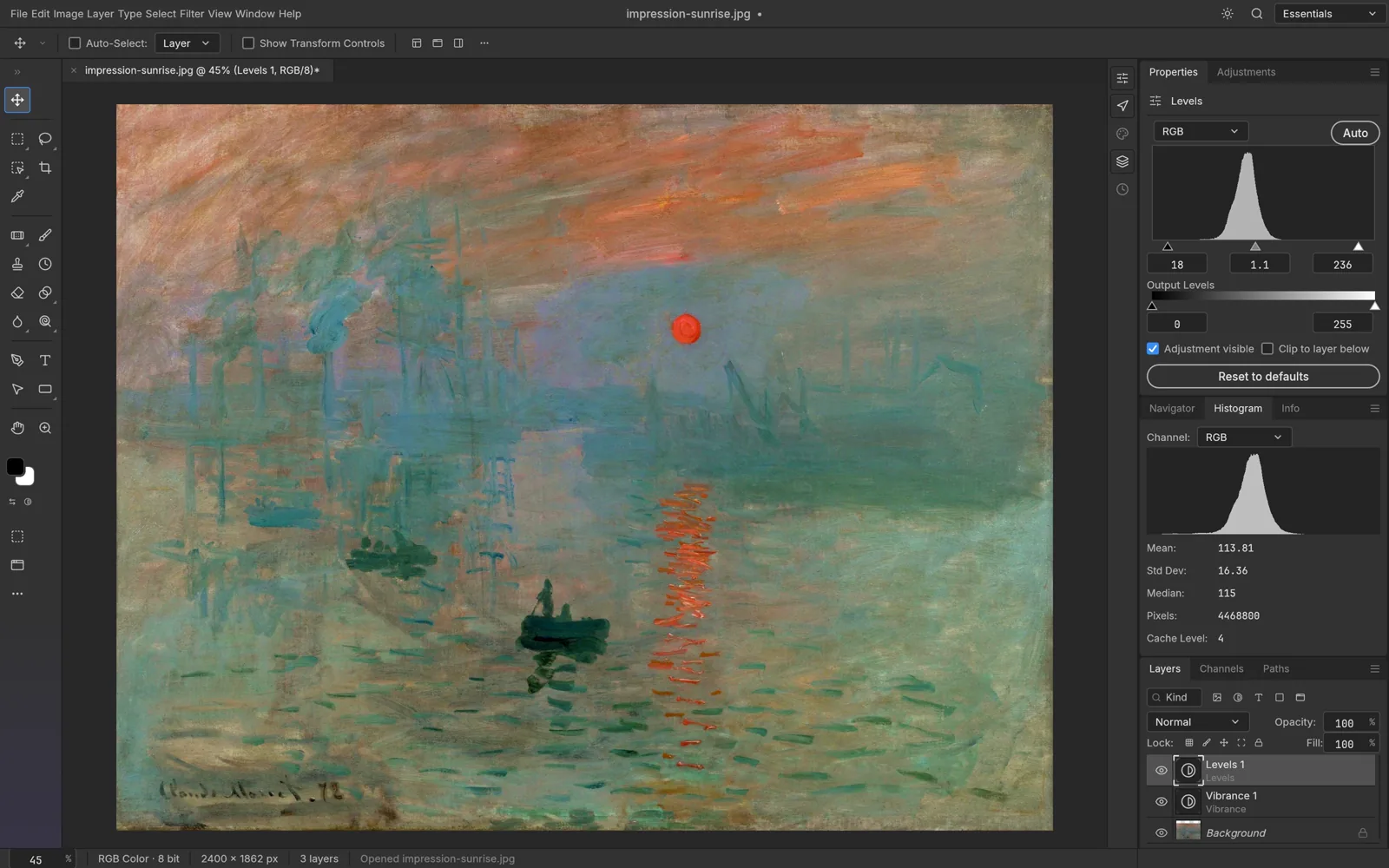
PhotoCraft applying a Levels adjustment layer to Impression, Sunrise with the histogram panel open
image
03
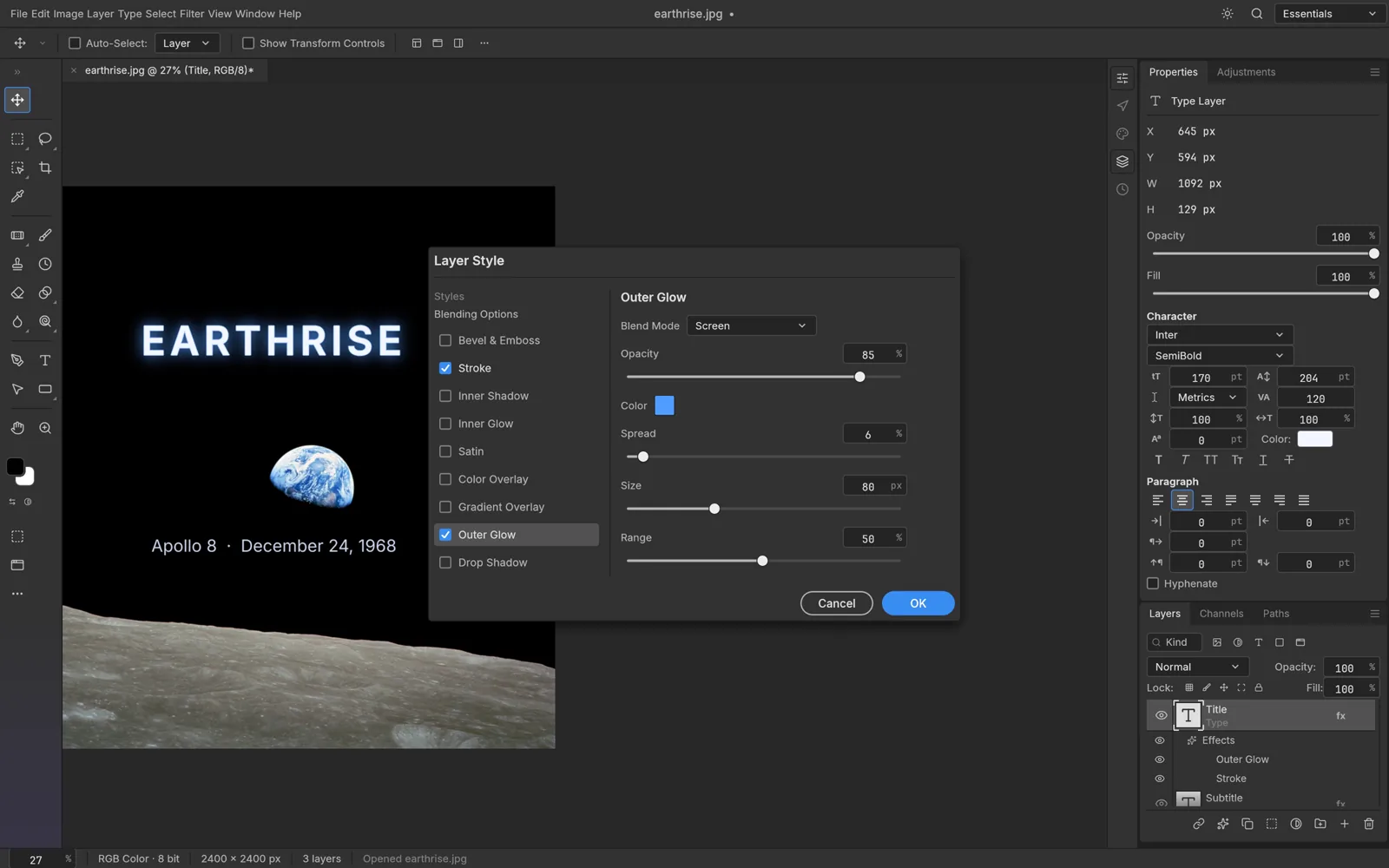
PhotoCraft's Layer Style dialog adding an outer glow and stroke to the word Earthrise
image
04
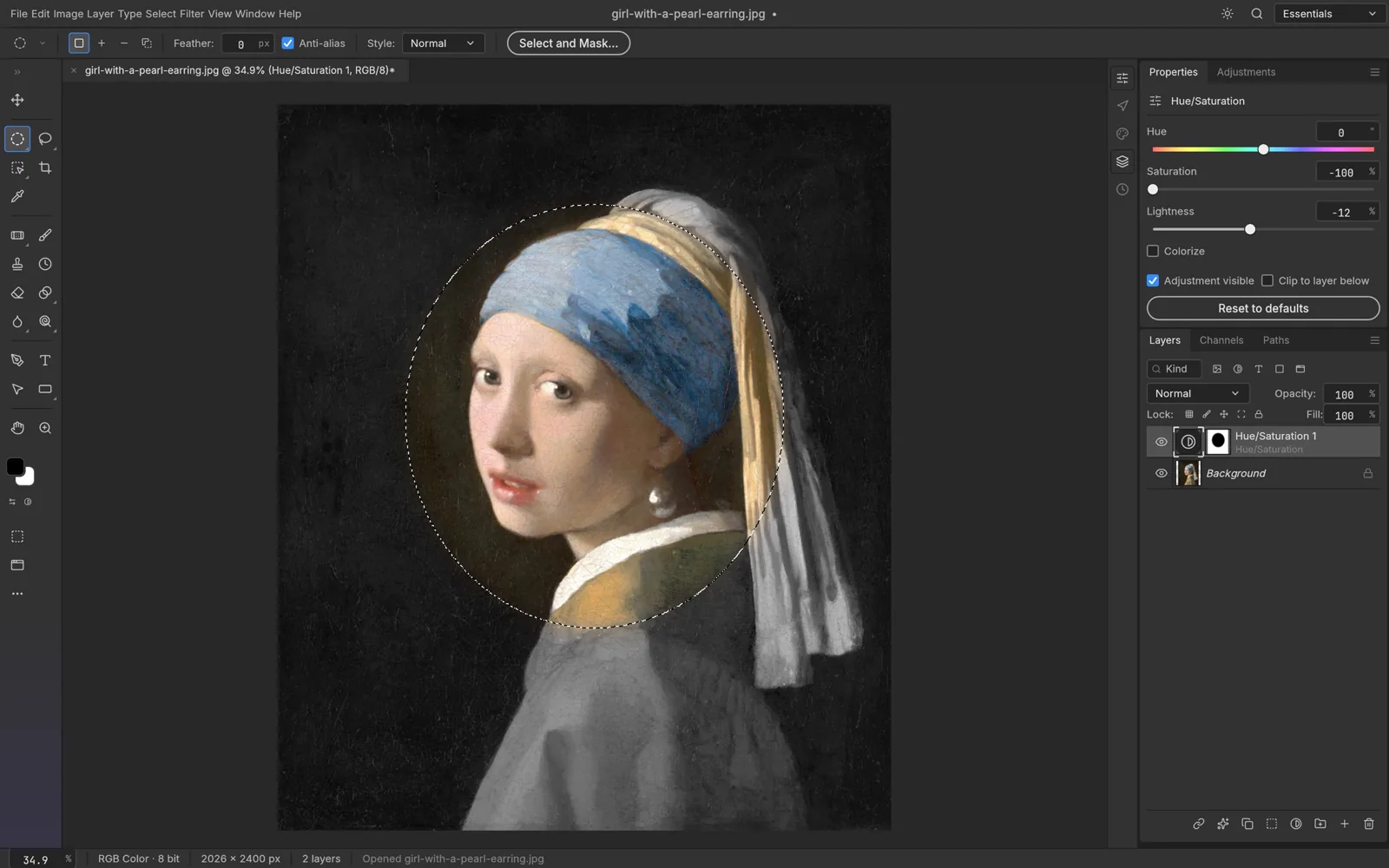
PhotoCraft with an elliptical selection and a Hue/Saturation adjustment on Girl with a Pearl Earring
image
05
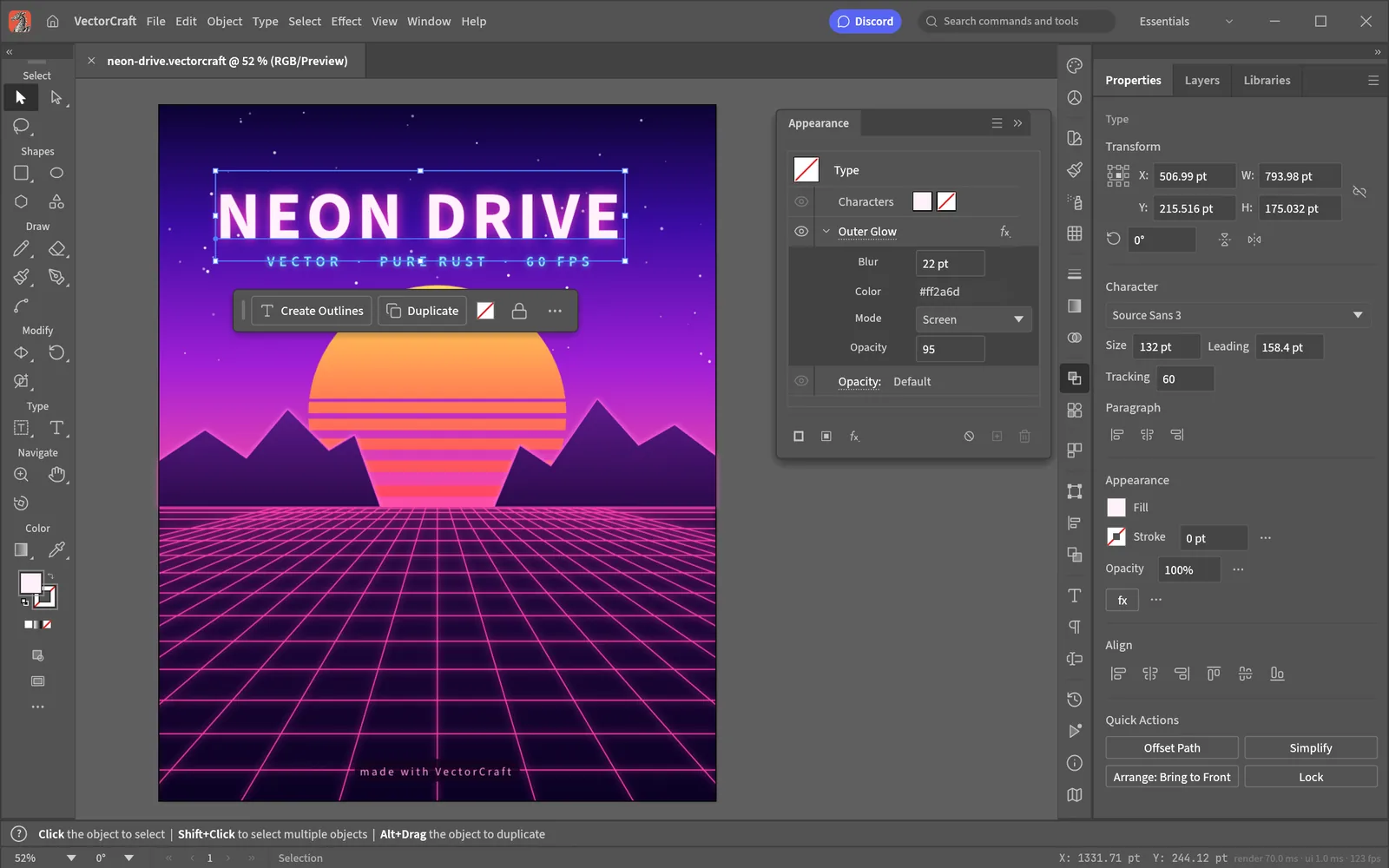
VectorCraft editing the Neon Drive poster, with the title's live outer glow settings in the Appearance panel and its character settings in the Properties panel
image
06
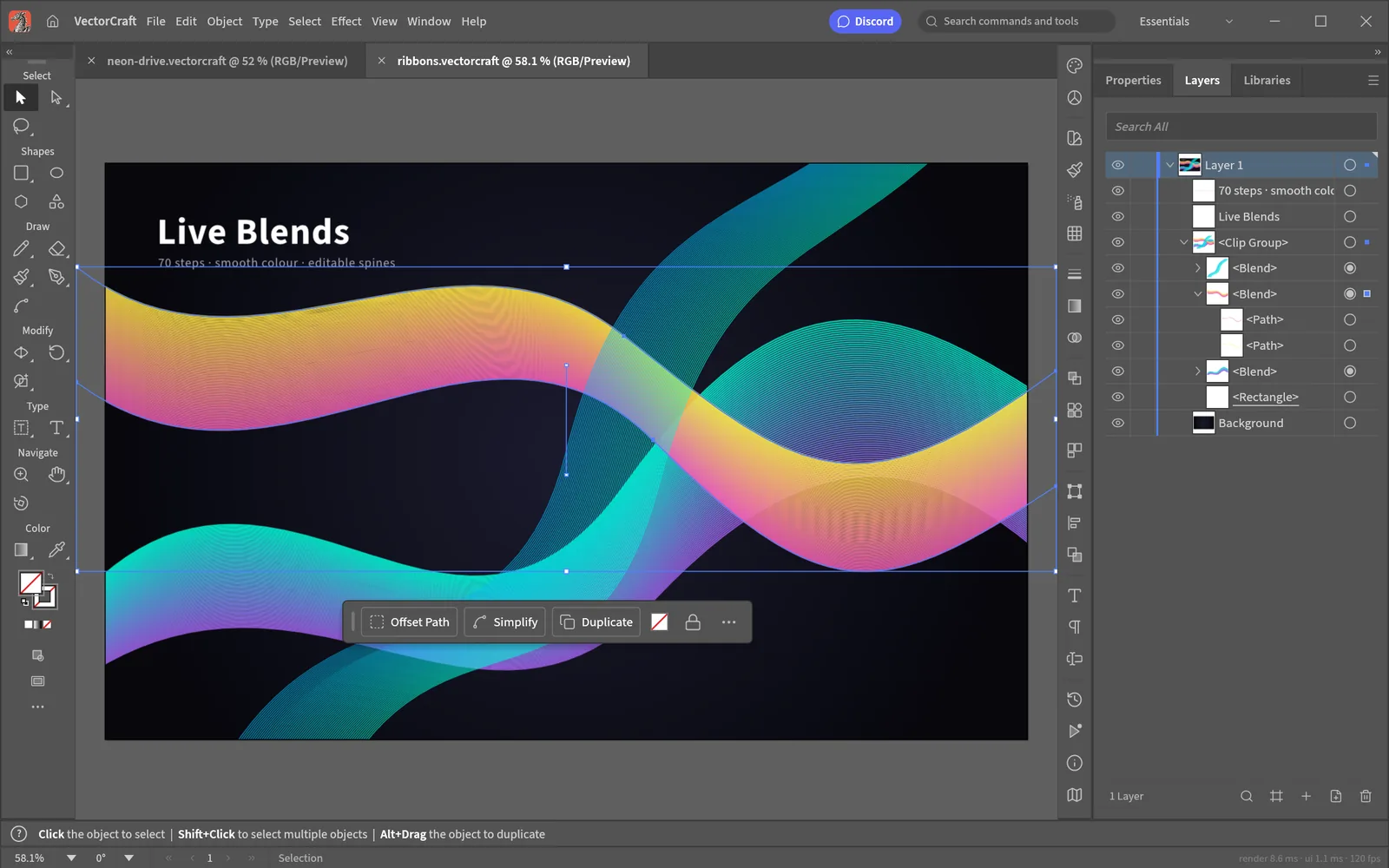
VectorCraft showing three live blend ribbons clipped to the artboard, one selected with its key paths, and the Layers panel listing the clip group and blends
image
07
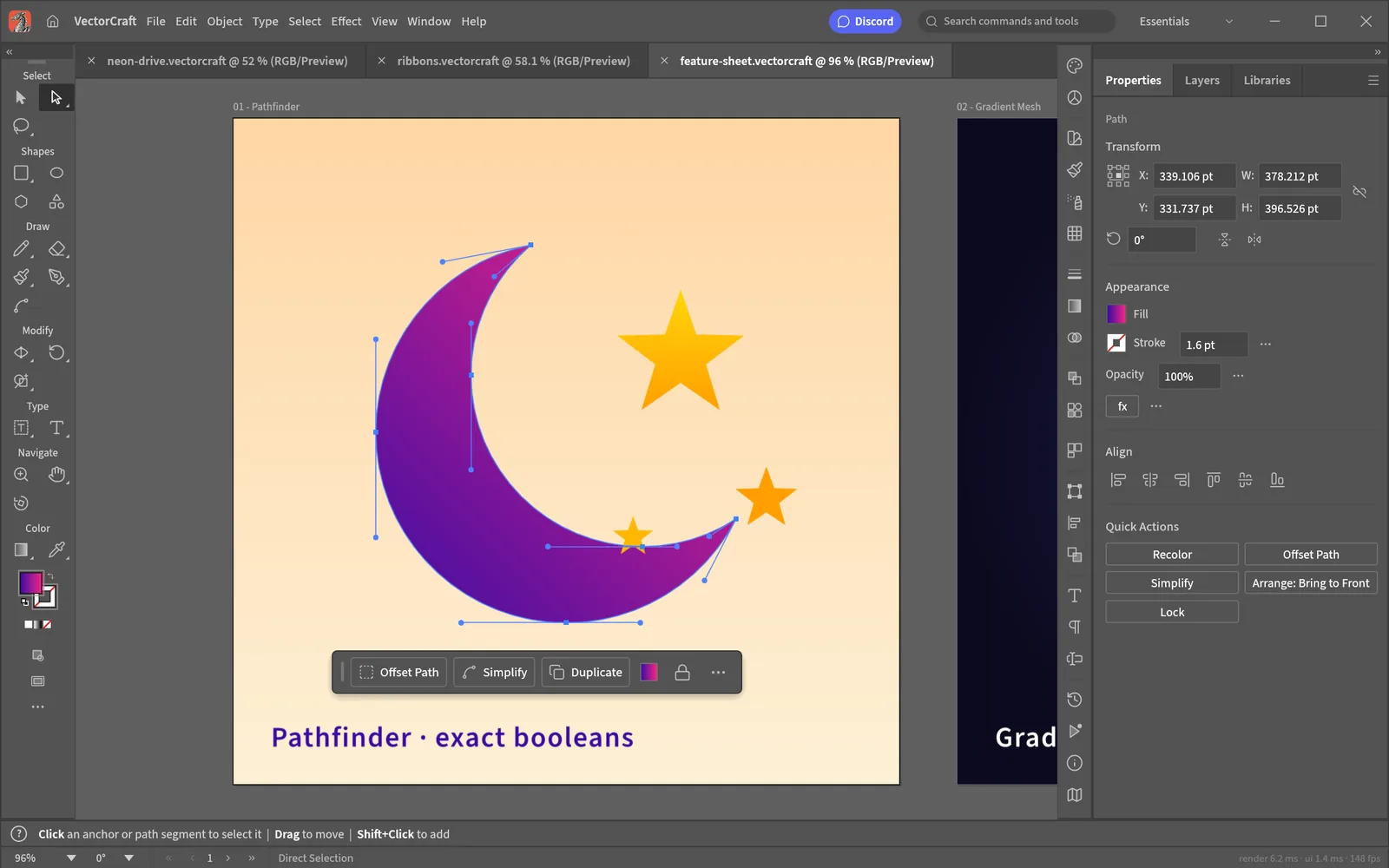
VectorCraft direct-selecting the anchor points and bezier handles of a crescent moon, with the contextual task bar below it
image
08
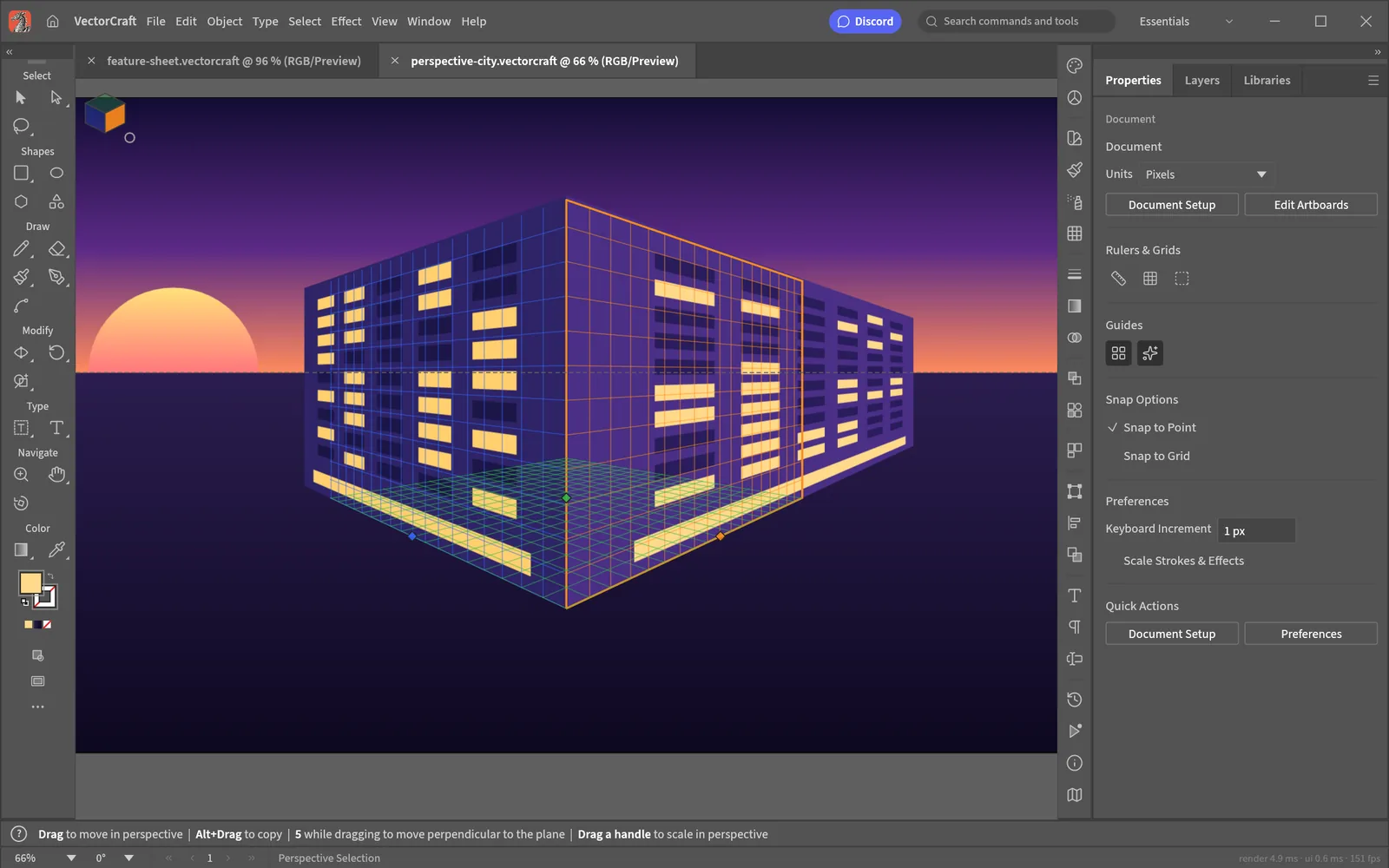
VectorCraft with two lit building facades drawn on the left and right planes of a two-point perspective grid at sunset
image
09
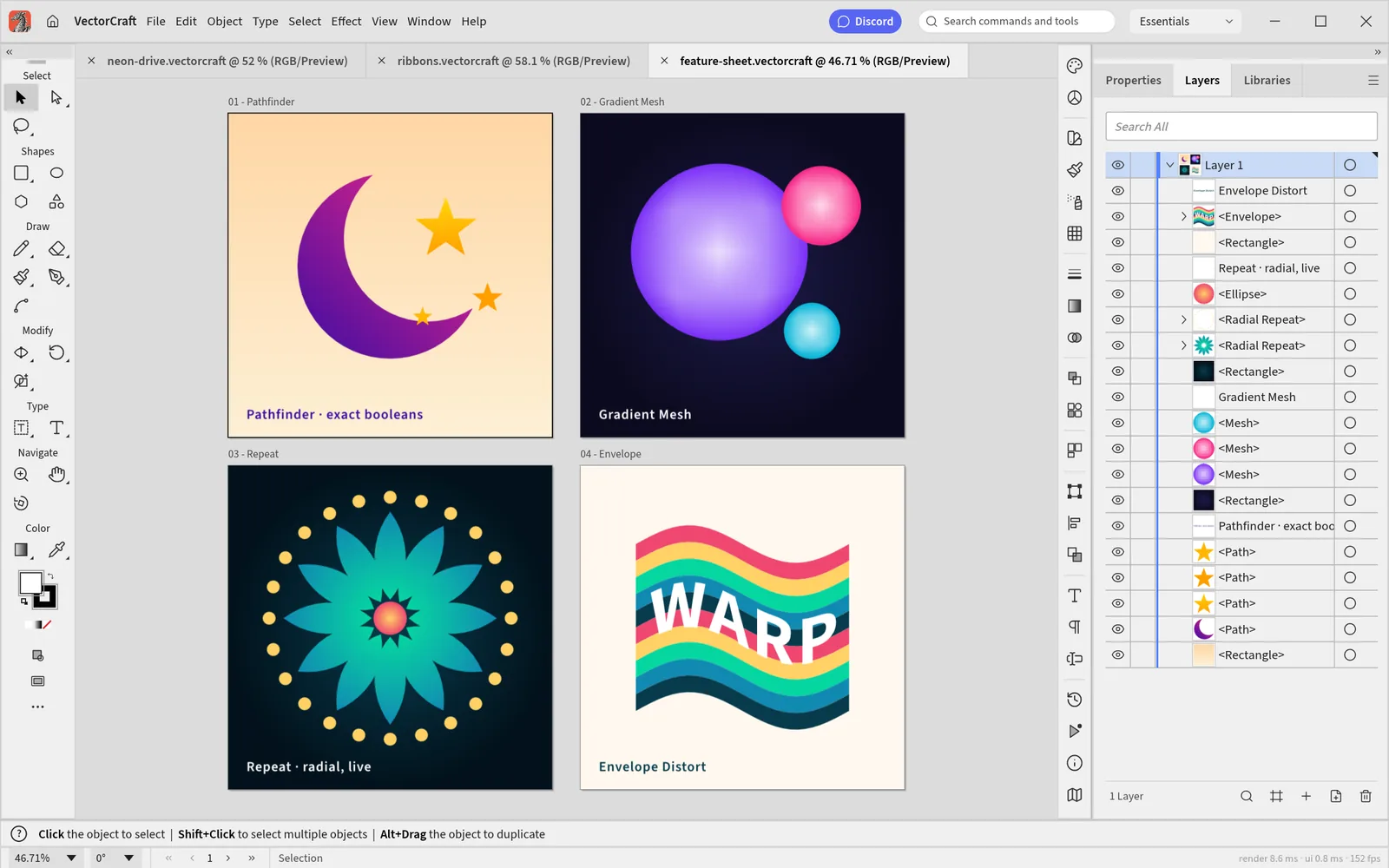
VectorCraft in its light theme with four artboards: shape booleans, a gradient mesh, a live radial repeat and an envelope distort
image
10
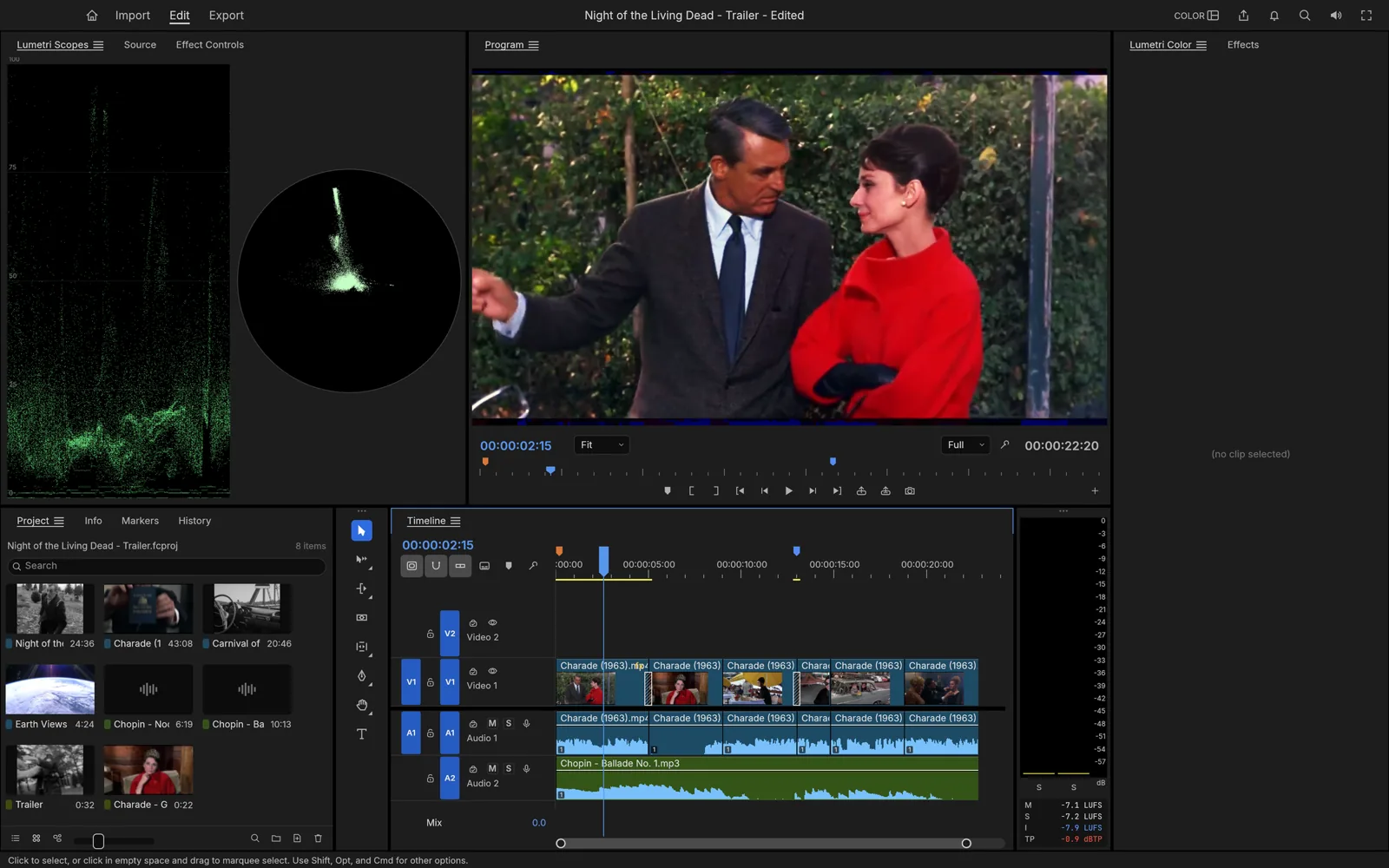
FilmCraft with video scopes, the program monitor showing Charade (1963), and a multi-track timeline
image
11
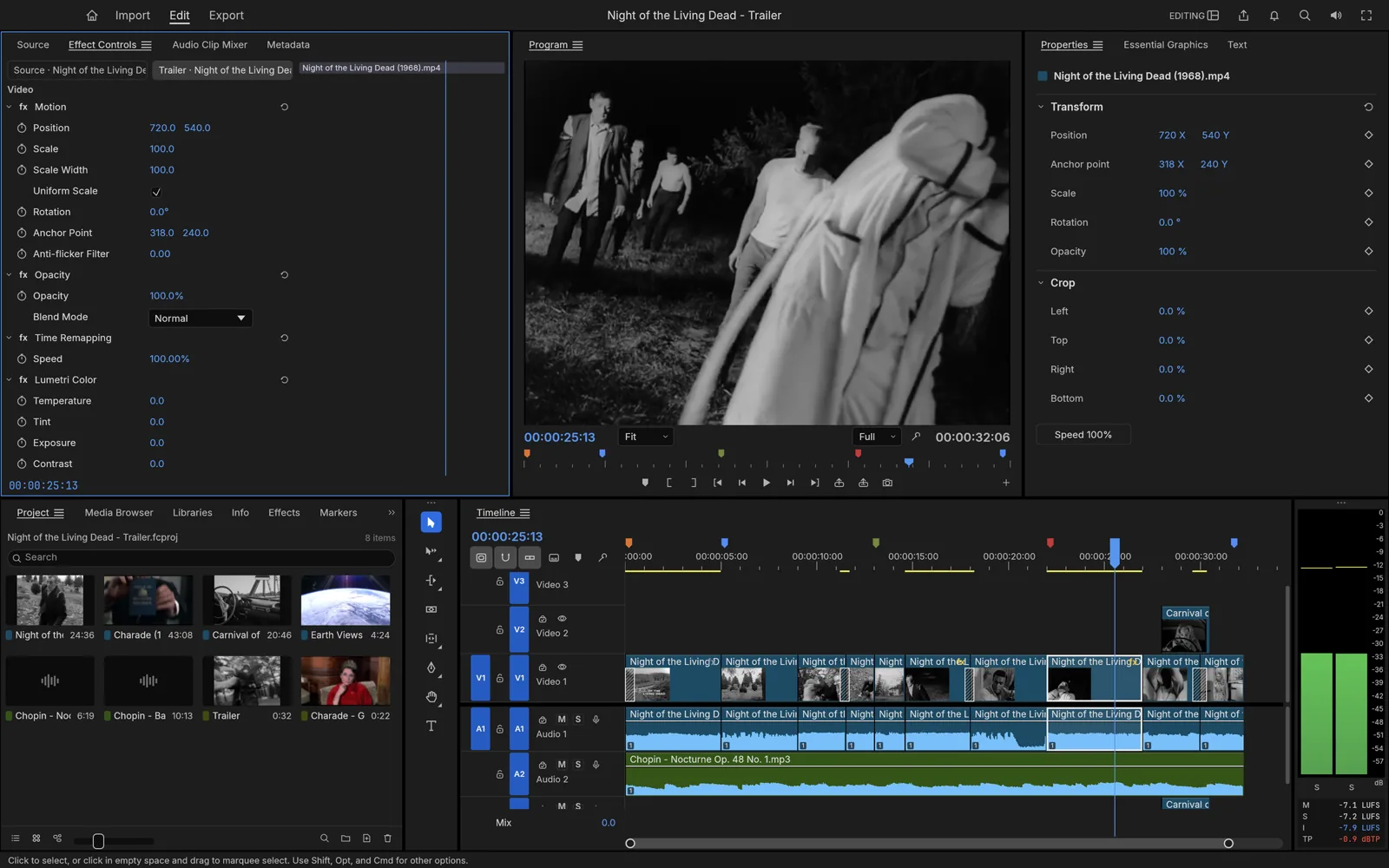
FilmCraft's effect controls and timeline editing Night of the Living Dead (1968)
image
12
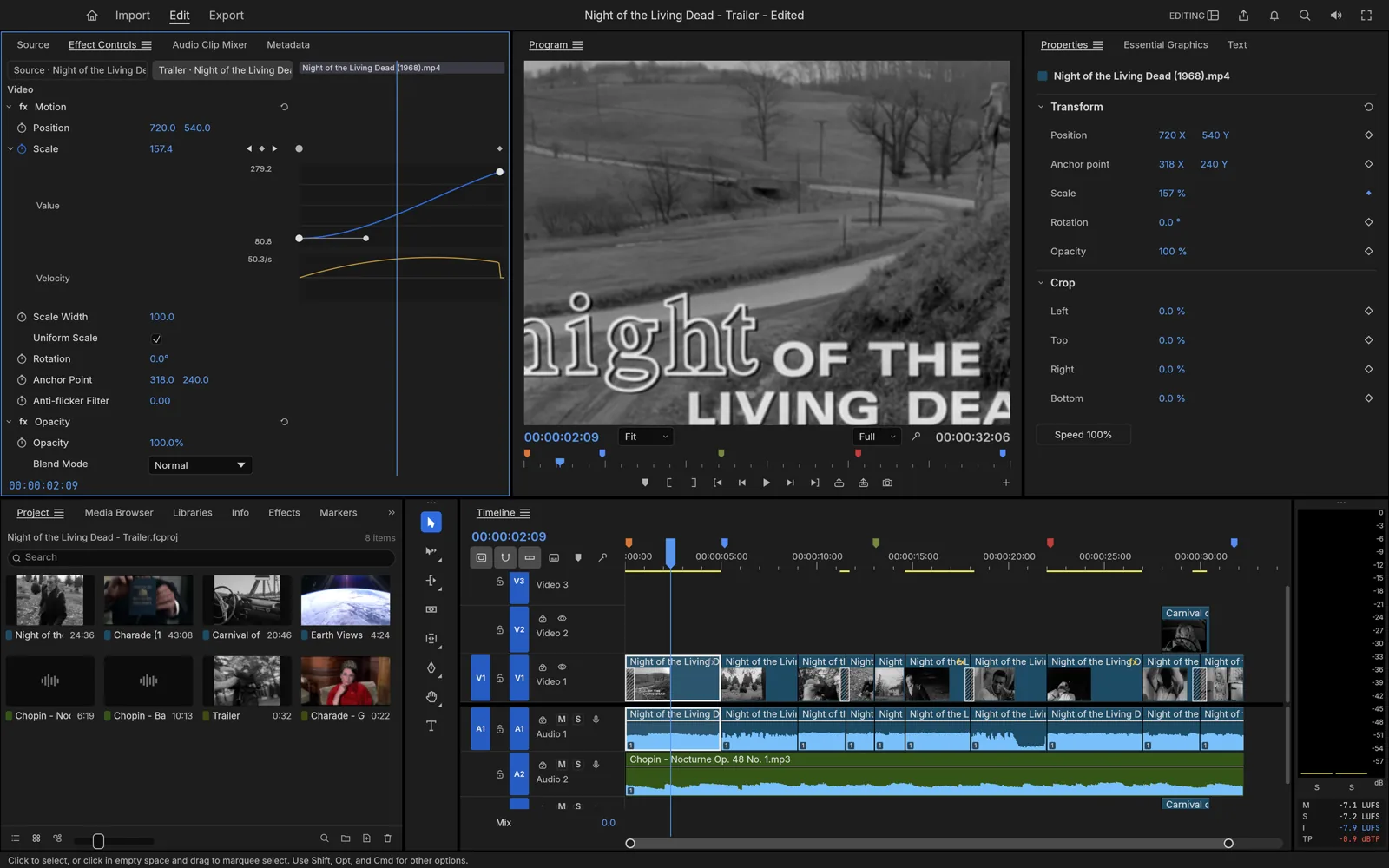
FilmCraft keyframing scale with value and velocity graphs on a title shot
image
13
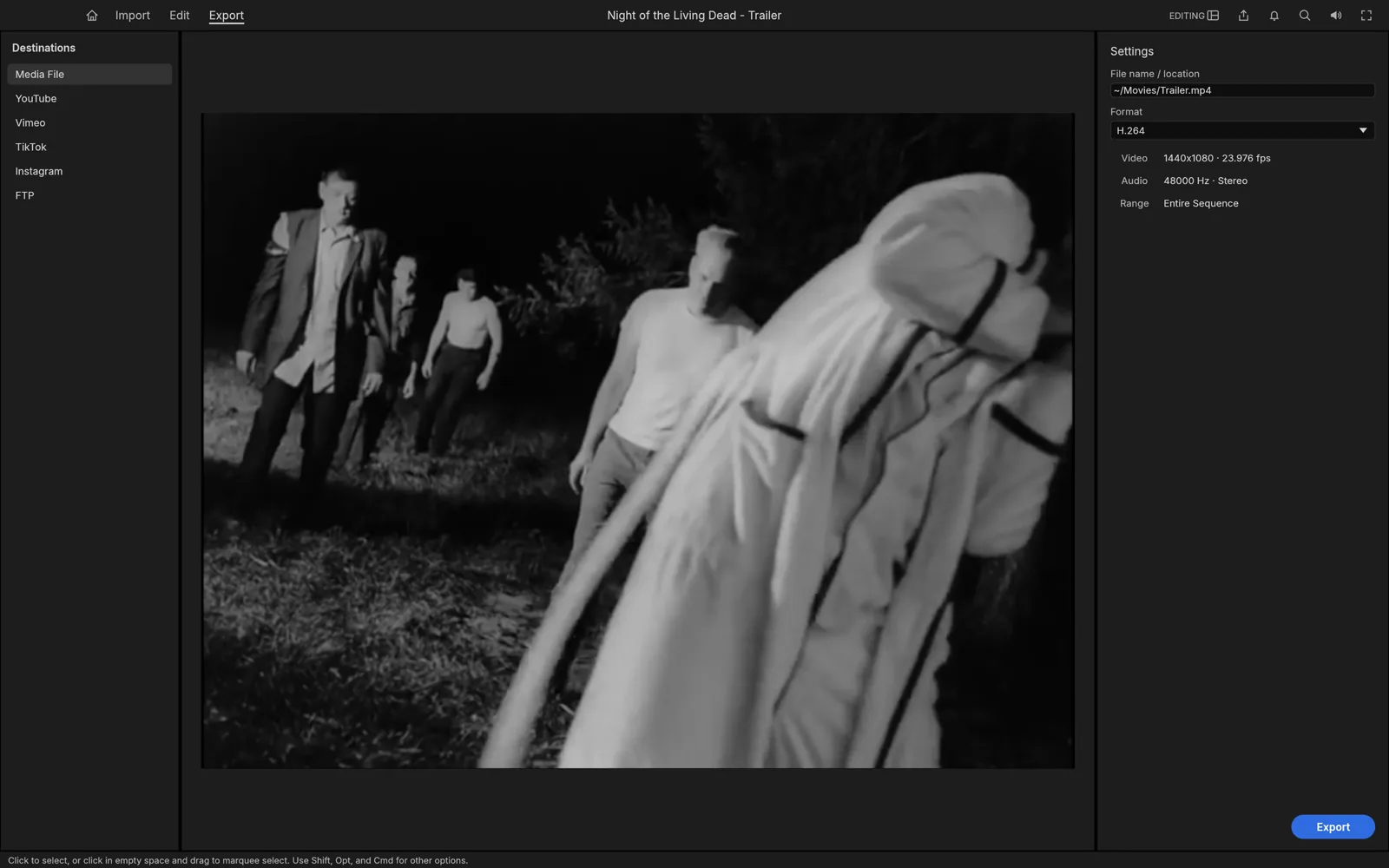
FilmCraft export screen with H.264 settings and destination presets
image
14
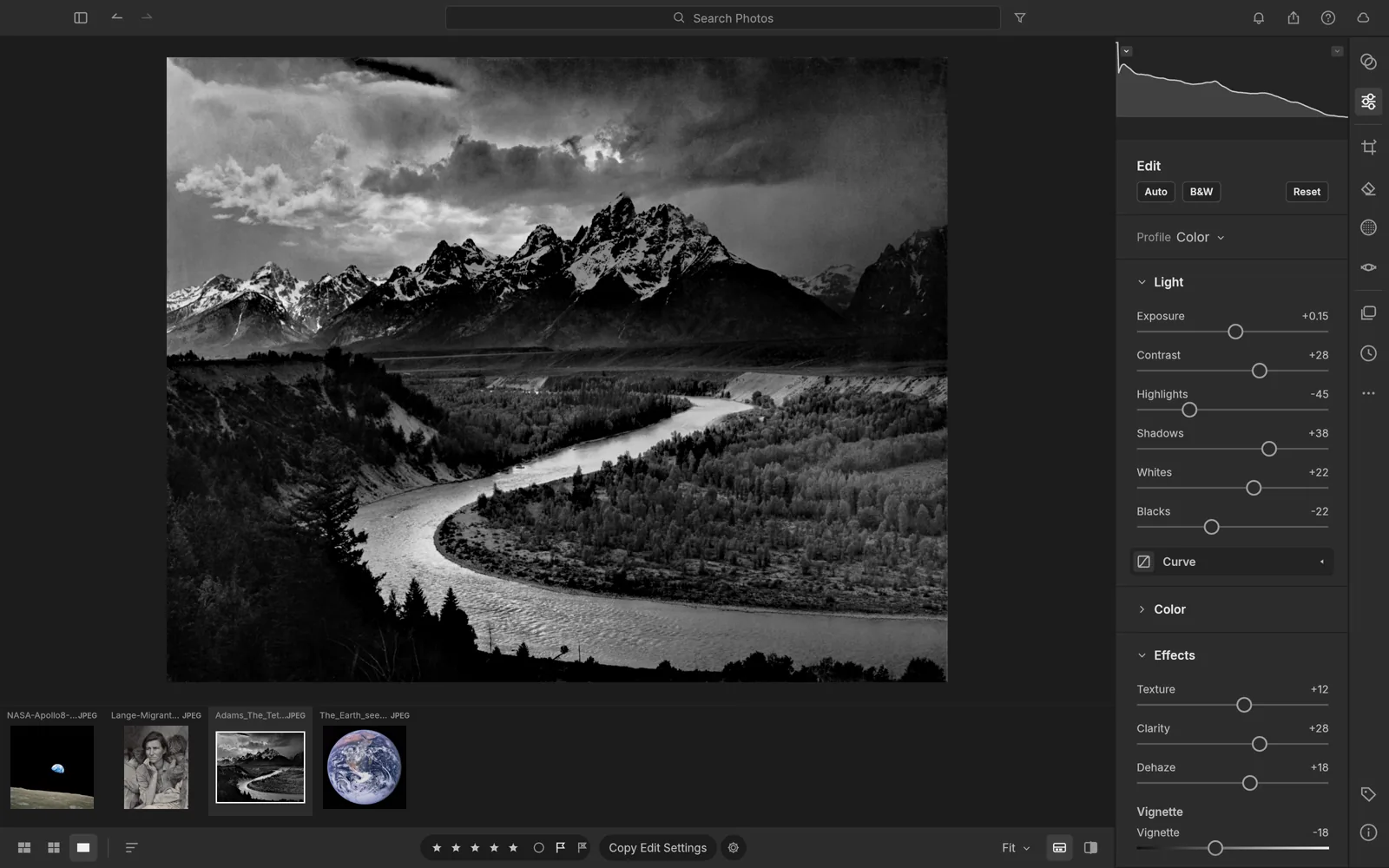
LightCraft developing Ansel Adams' The Tetons and the Snake River with light and effects sliders
image
15
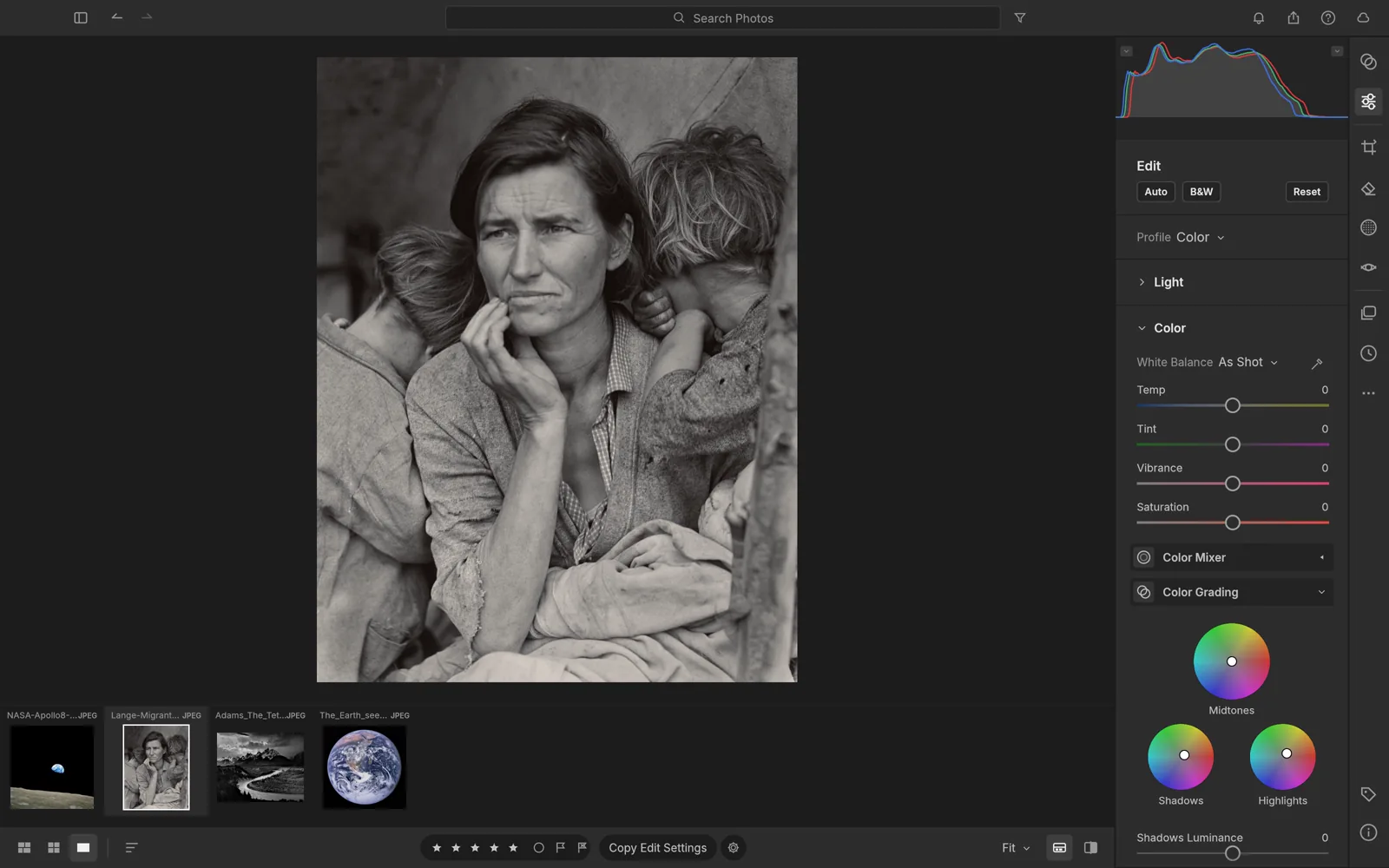
LightCraft color grading wheels applied to Dorothea Lange's Migrant Mother
image
16
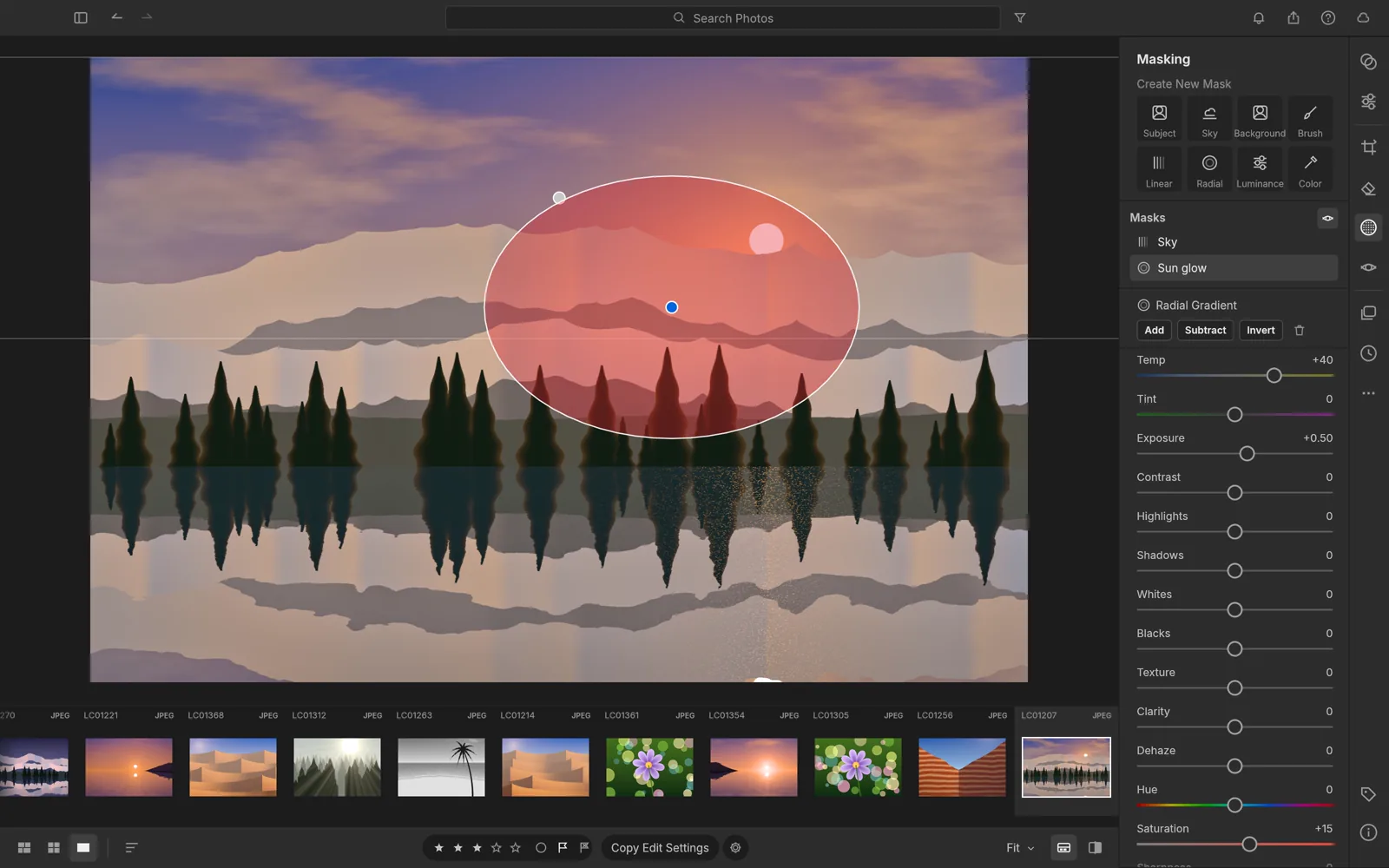
LightCraft masking panel with a radial gradient mask warming a sunset sky
image
17
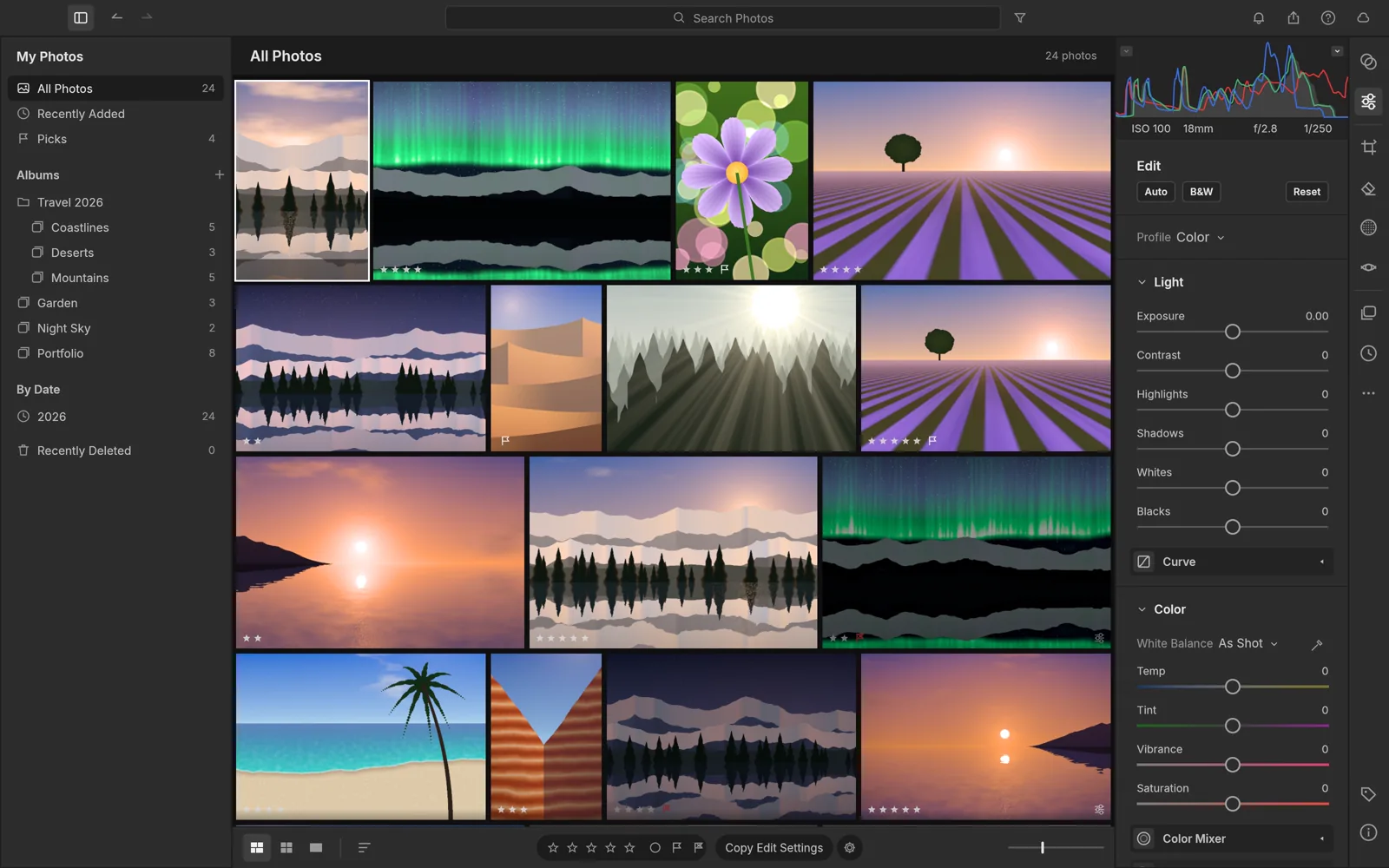
LightCraft library grid with albums, ratings and the develop panel
image
18
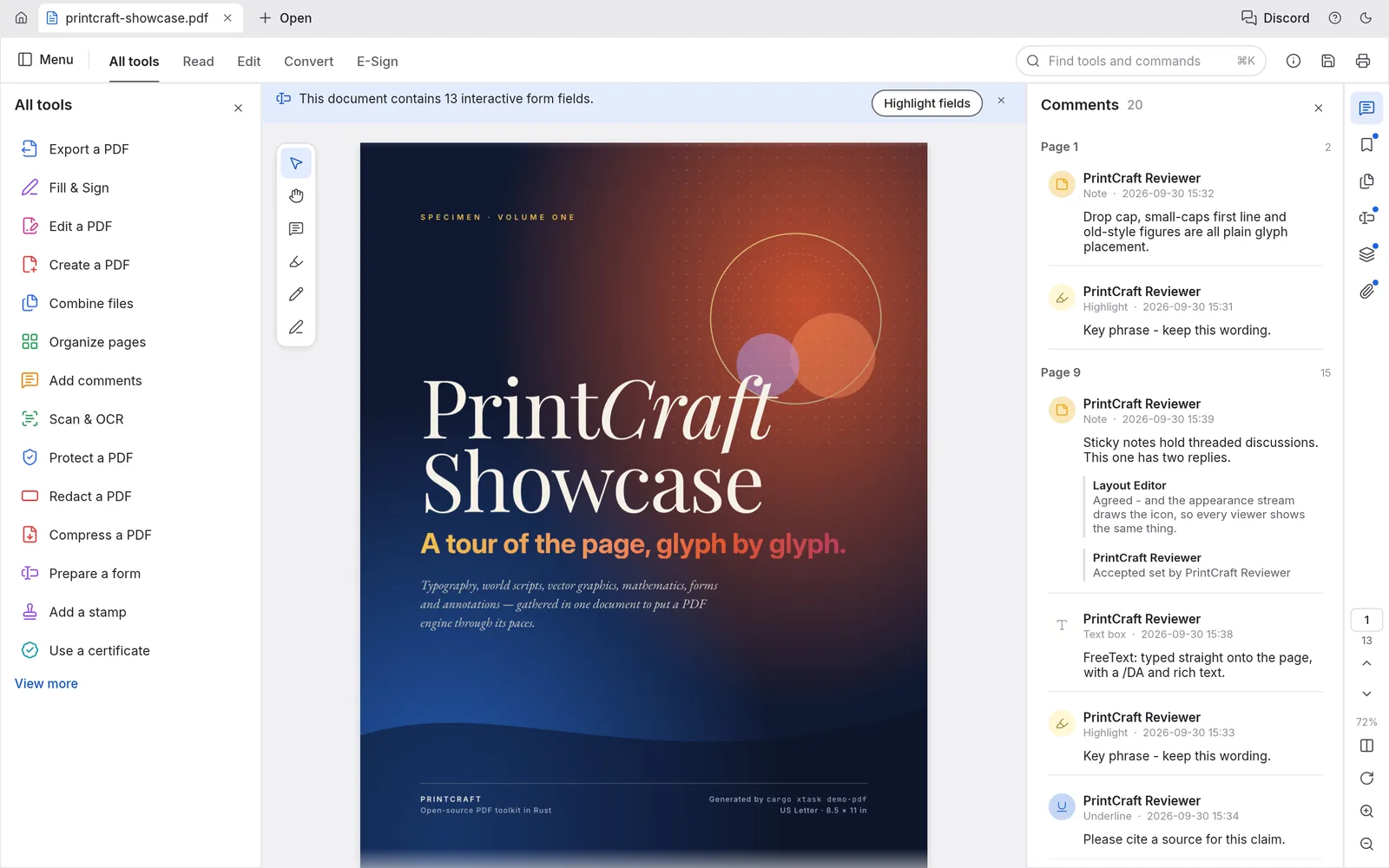
PdfCraft showing a showcase PDF cover with the All tools panel and threaded comments
image
19
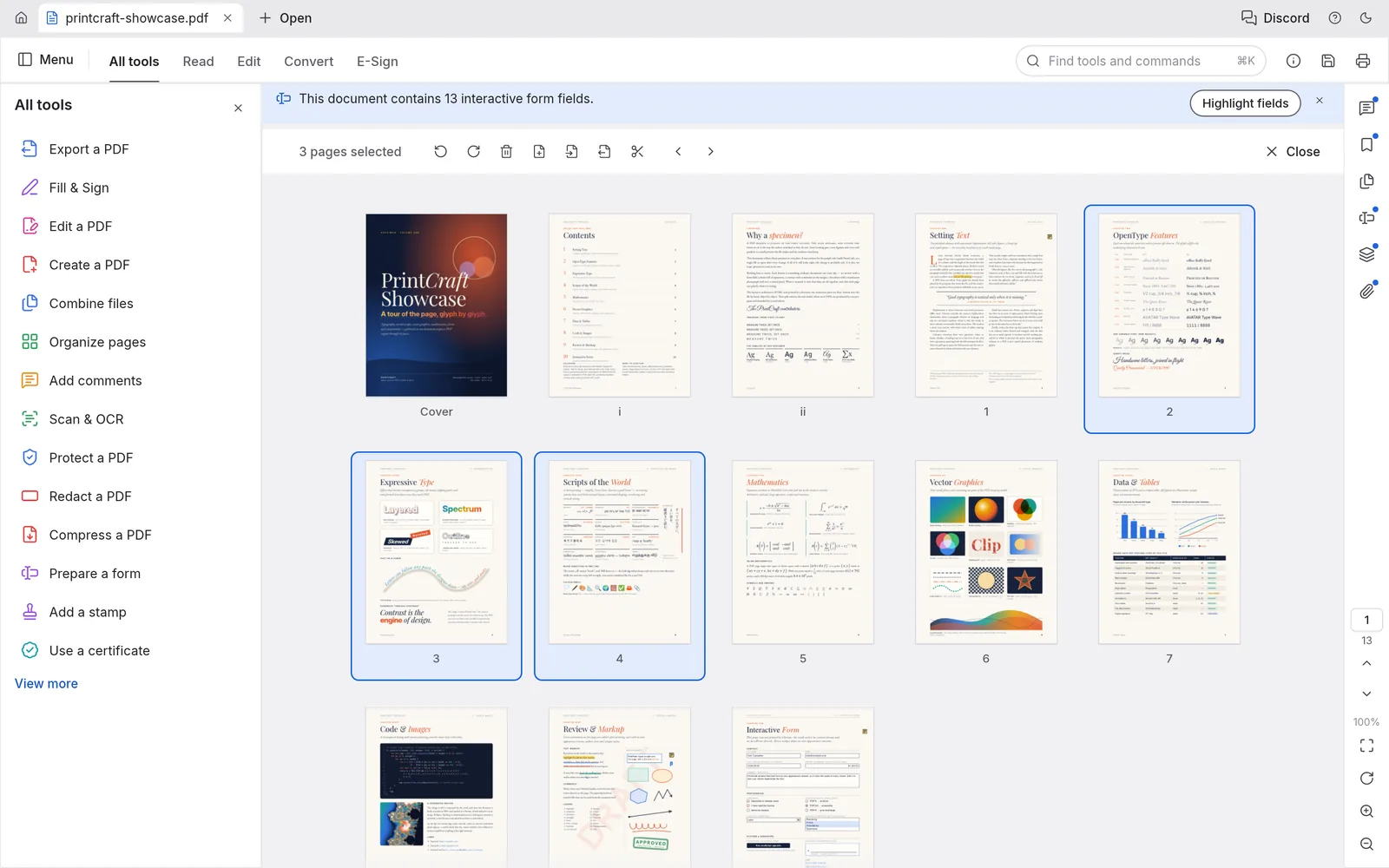
PdfCraft page organizer with three pages selected and the page tools in the toolbar above
image
20
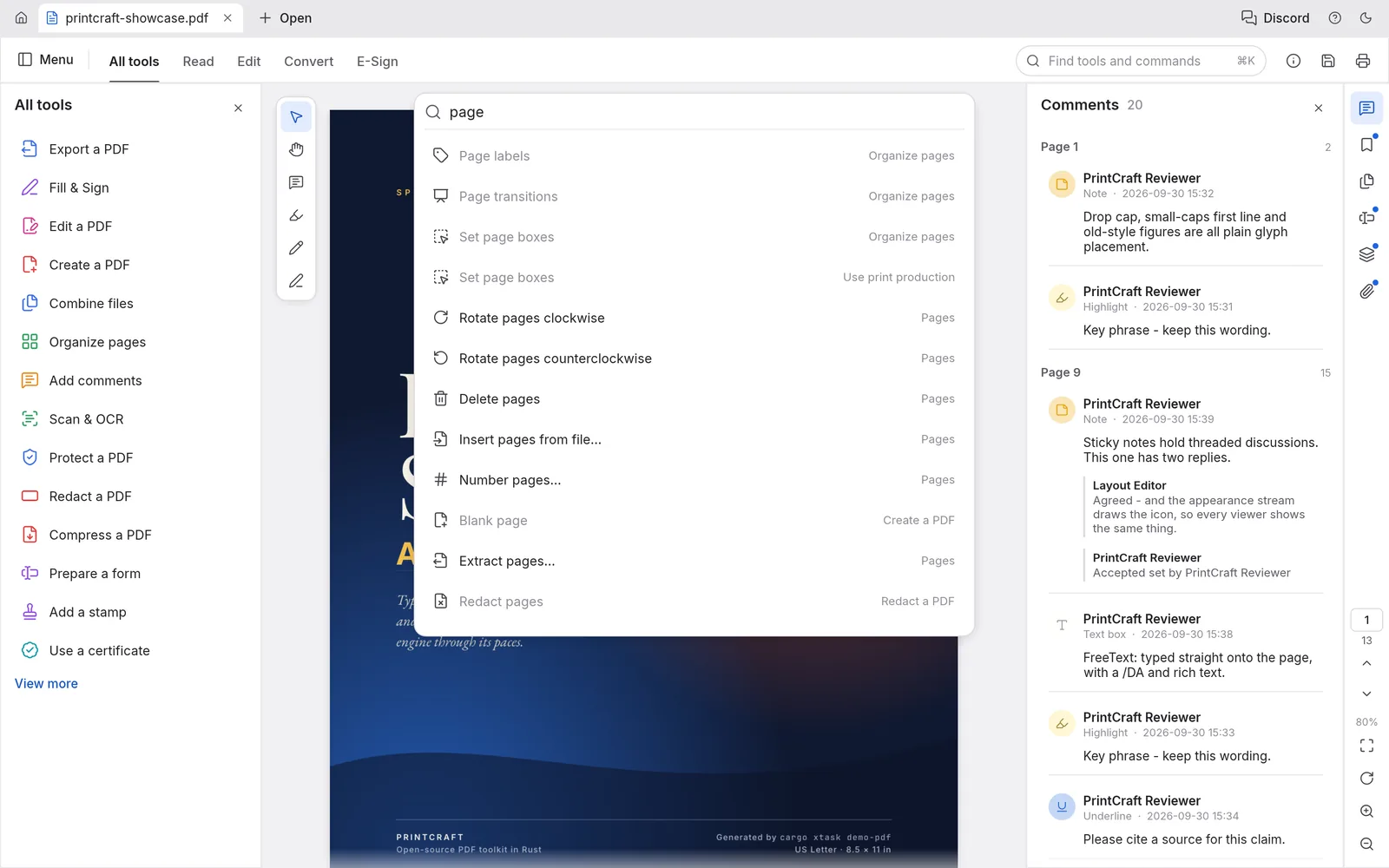
PdfCraft command palette searching for page and listing the page tools
image
21
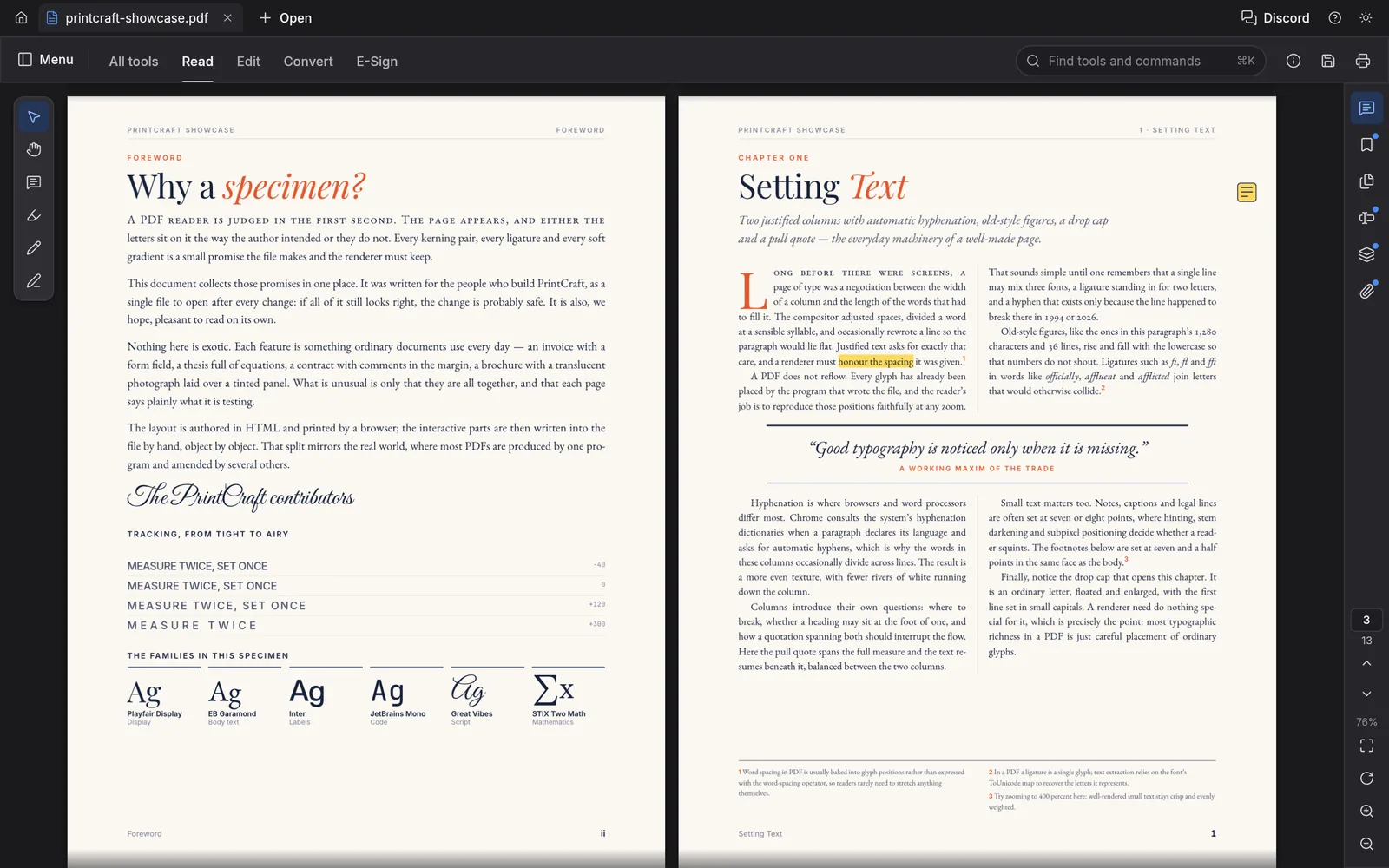
PdfCraft two-up Read mode in the dark theme showing typeset specimen pages
image
22
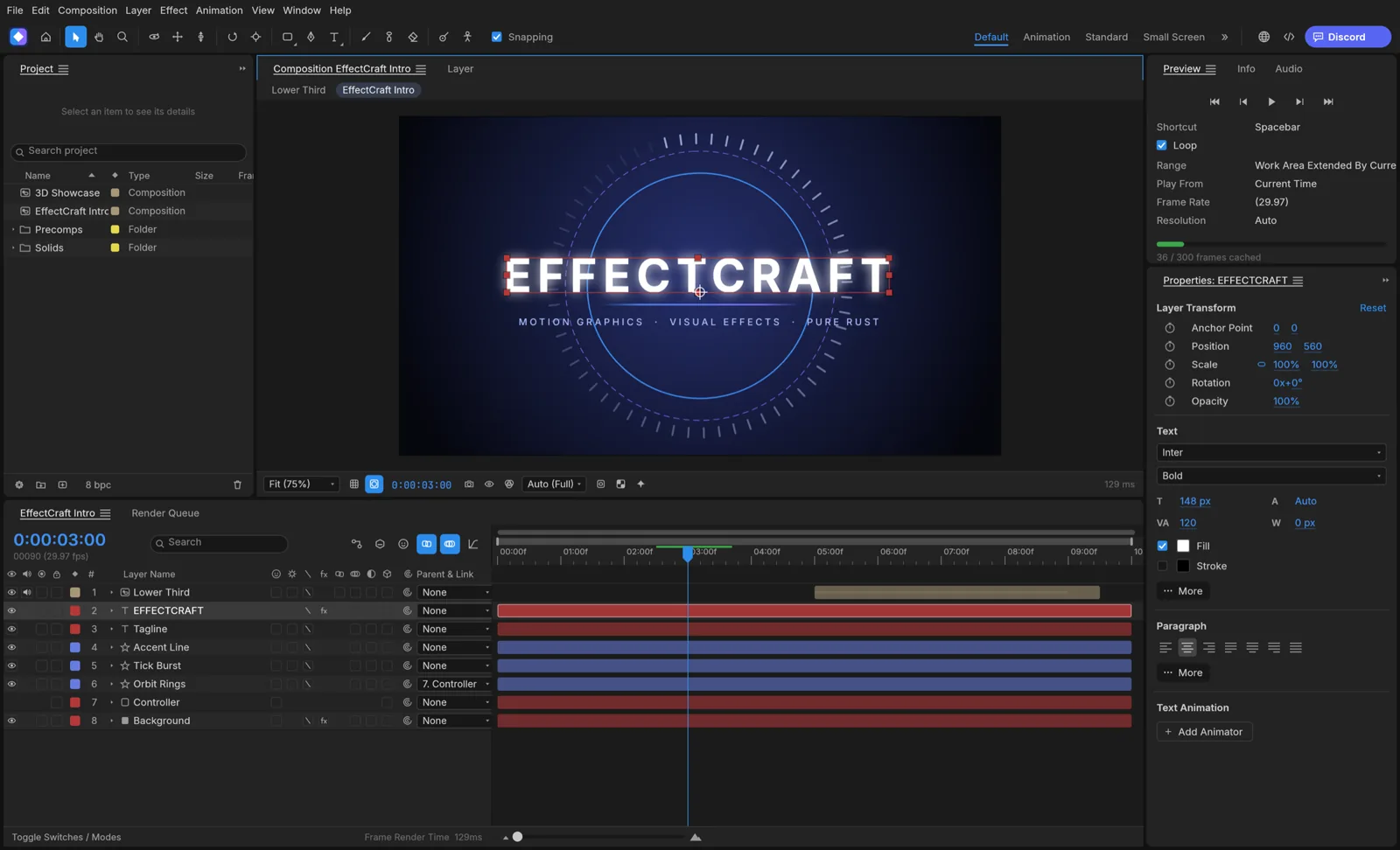
EffectCraft's composition panel showing an animated EFFECTCRAFT title, with the project panel, a timeline of text, shape and solid layers, and the properties panel
image
23
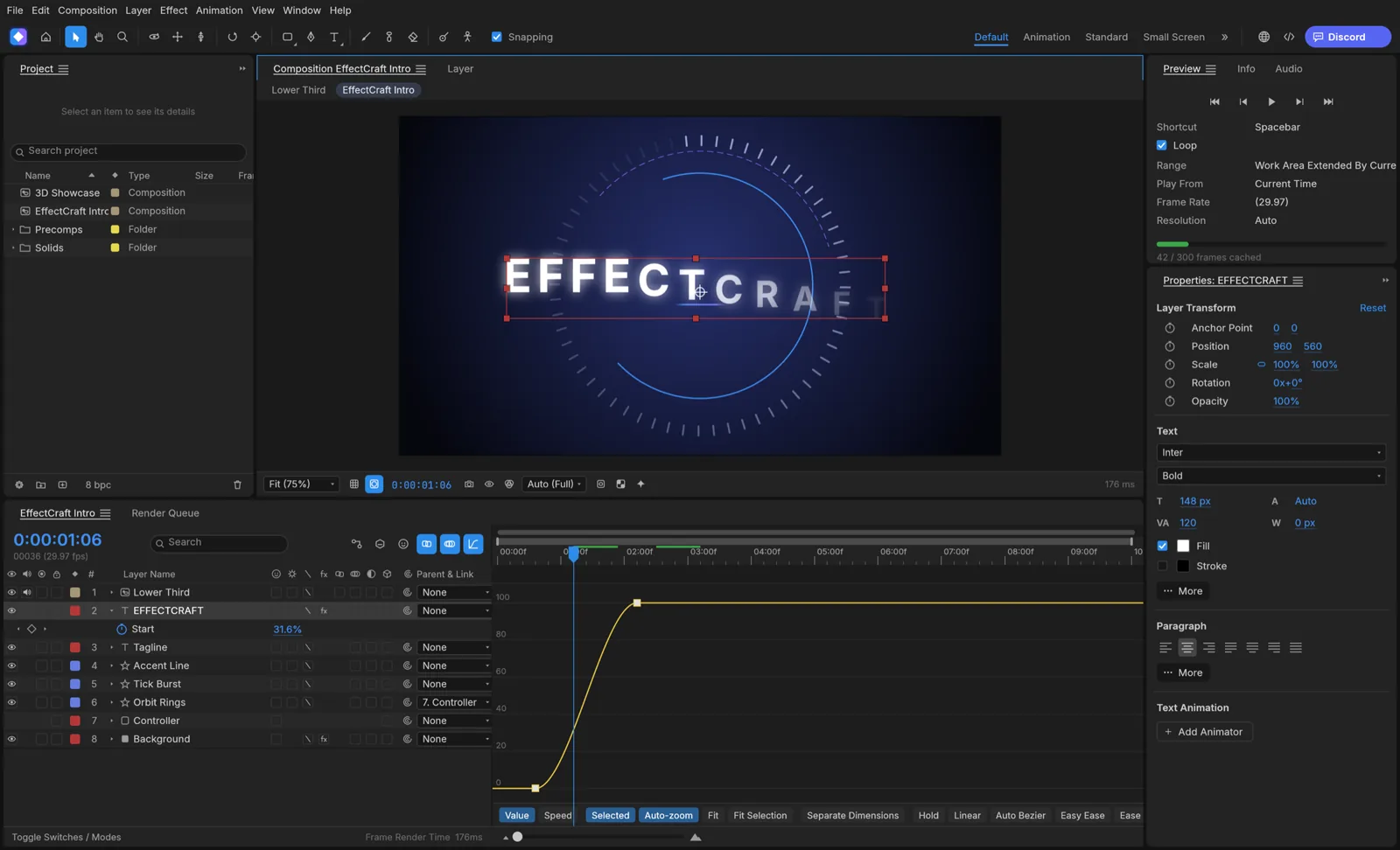
EffectCraft's graph editor showing an eased value curve for a text animator
image
24
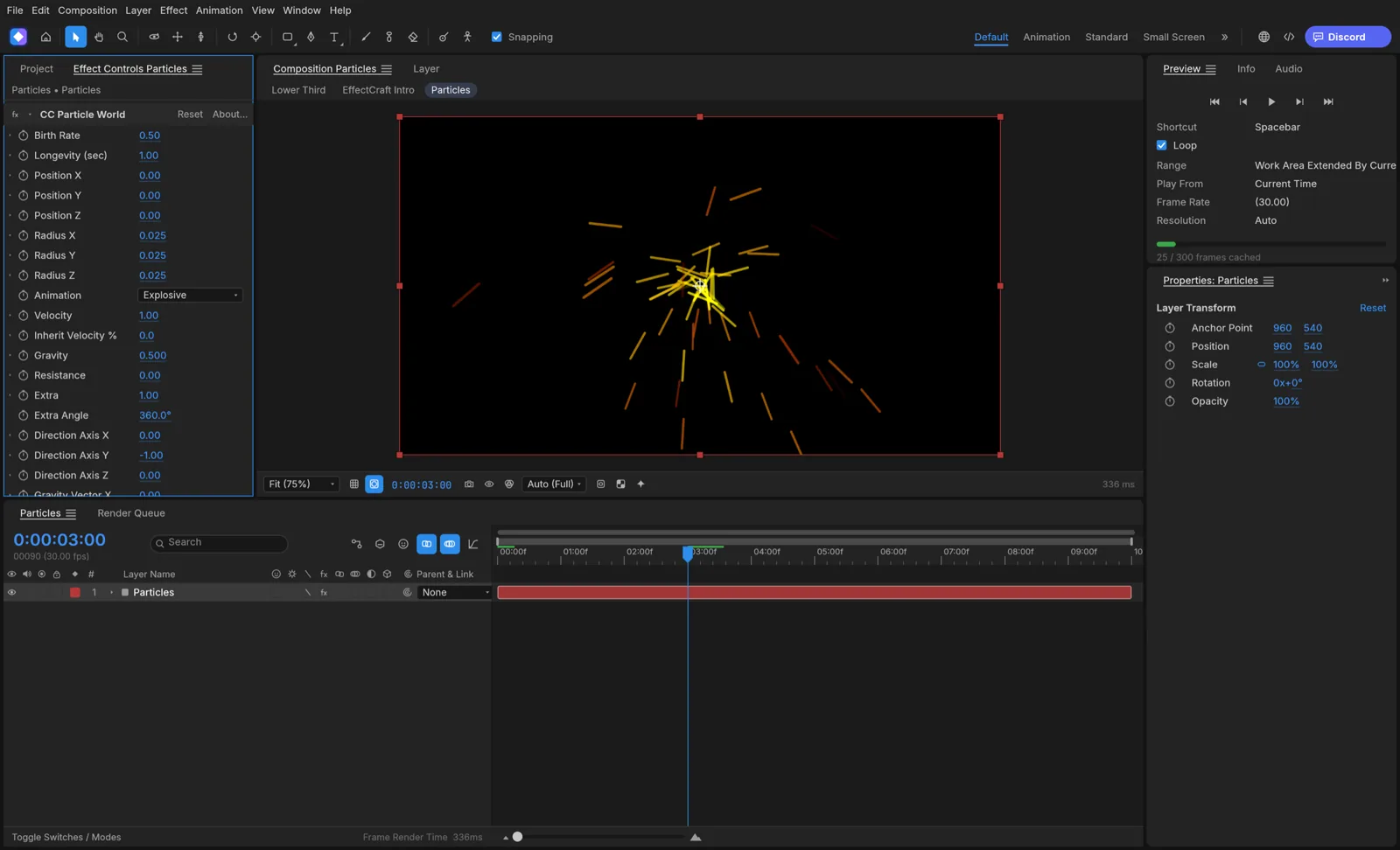
EffectCraft's effect controls for a particle simulation bursting from the center of the composition
image
25
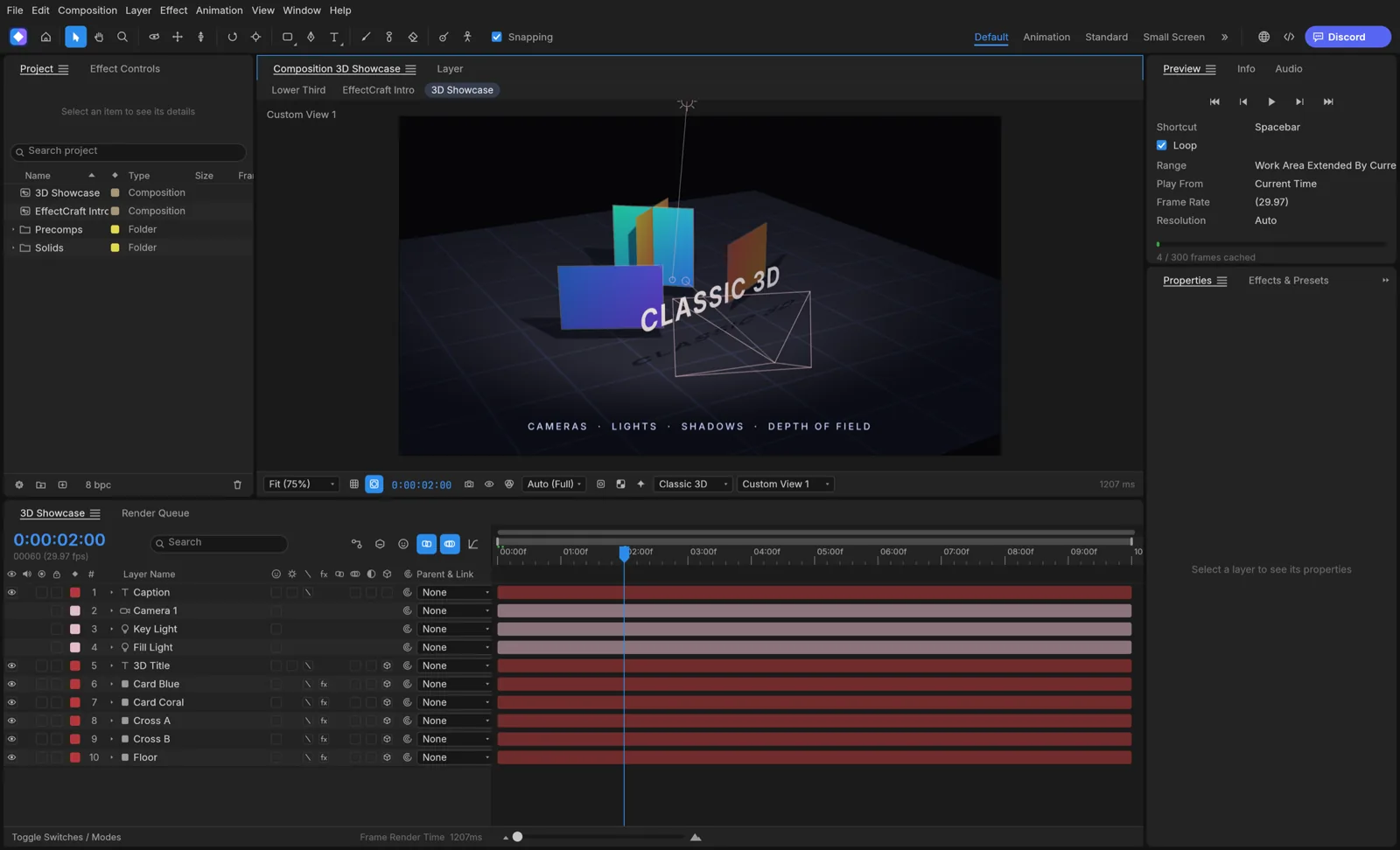
EffectCraft's 3D showcase: intersecting cards lit by a spot light with soft shadows on a gridded floor, seen from a custom camera view
image
26
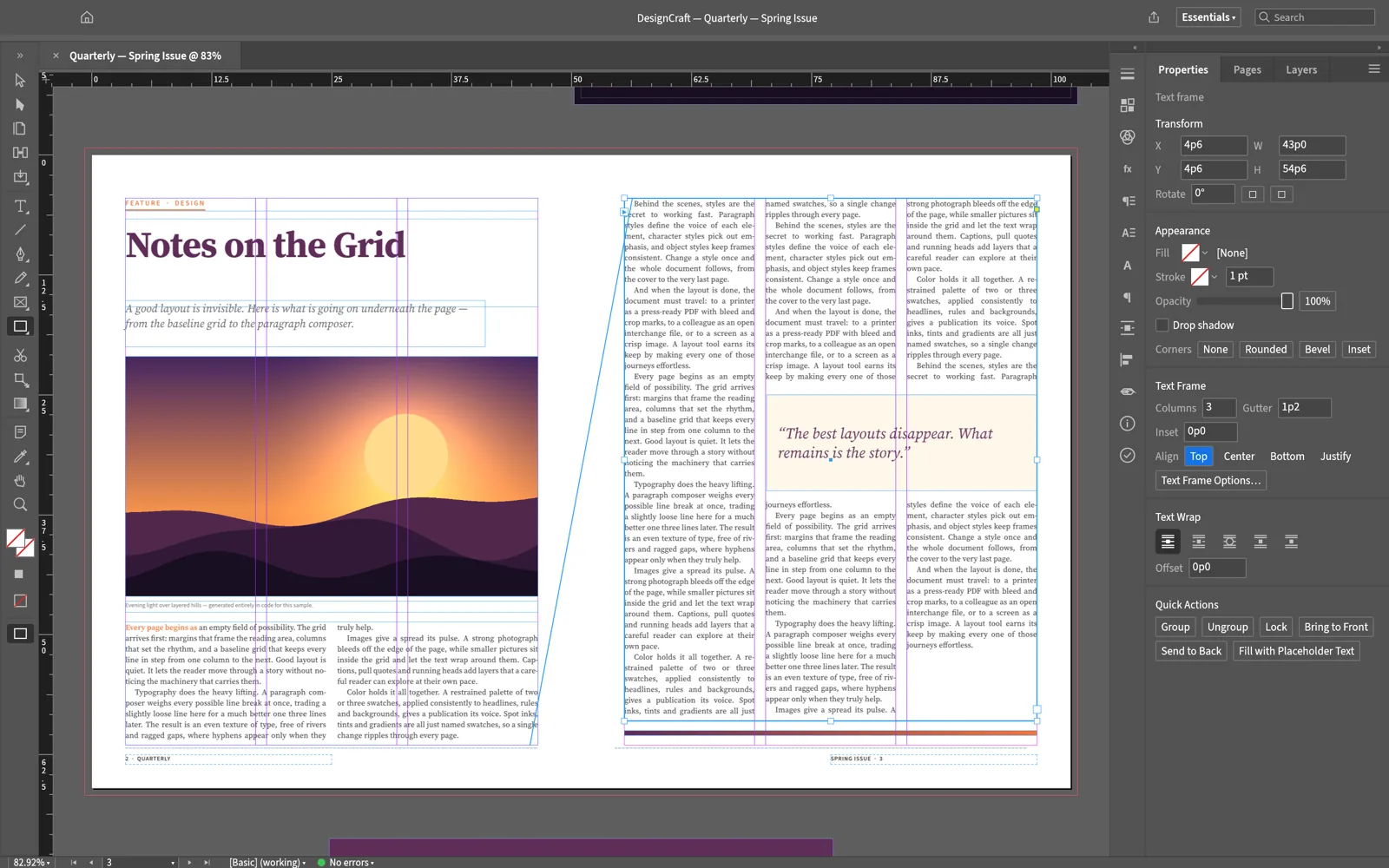
DesignCraft showing a magazine spread: a threaded three-column story with its thread line, a wrapped pull quote, and the Properties panel's text frame options
image
27
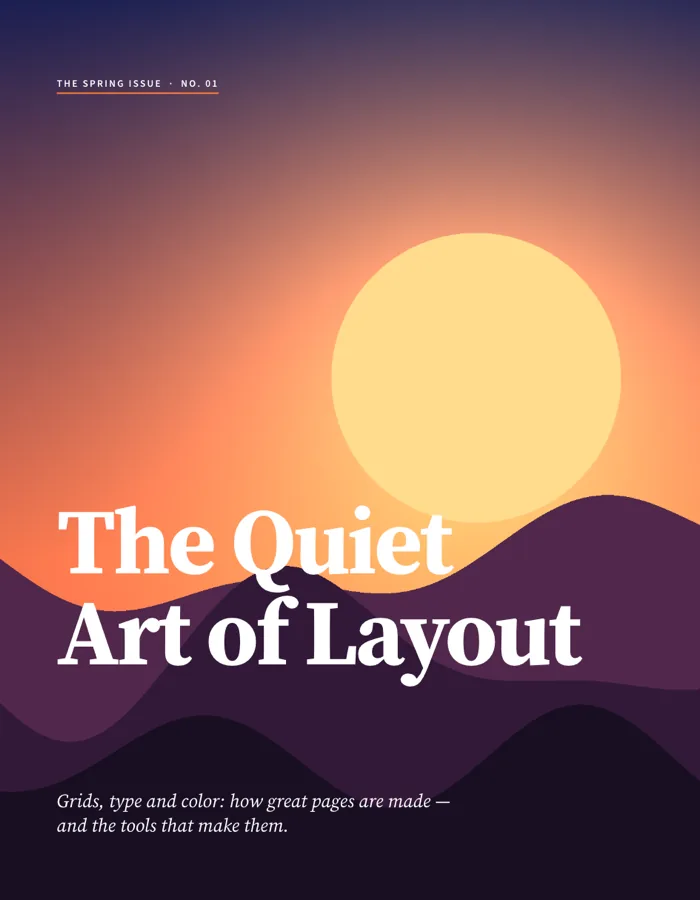
Magazine cover for The Spring Issue: a dusk landscape of layered purple hills under a pale sun, with the serif headline The Quiet Art of Layout
image
28
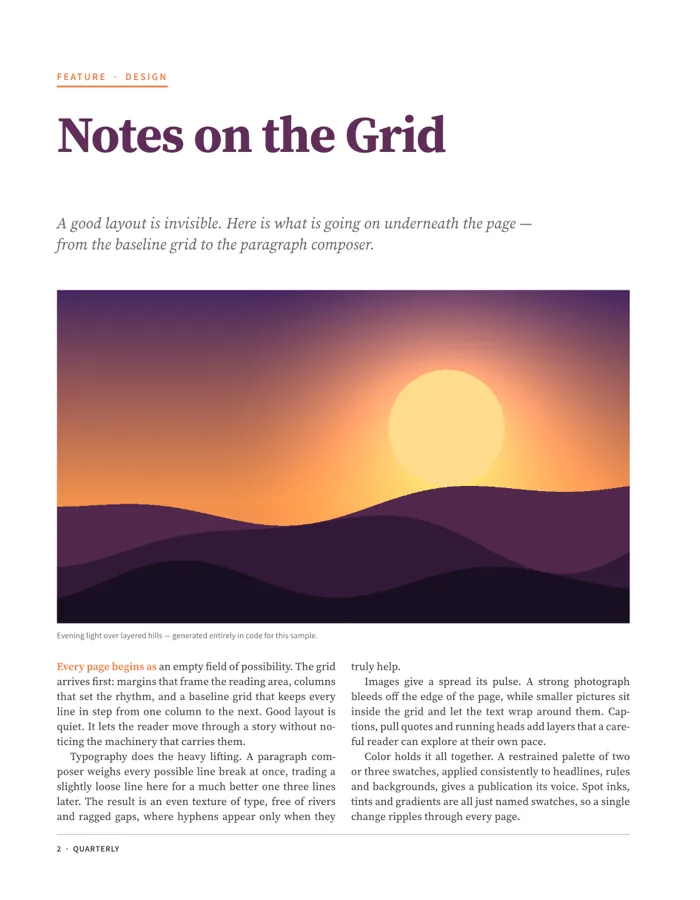
Feature opener titled Notes on the Grid with a kicker rule, italic deck, landscape picture, caption and two columns of justified body text
image
29
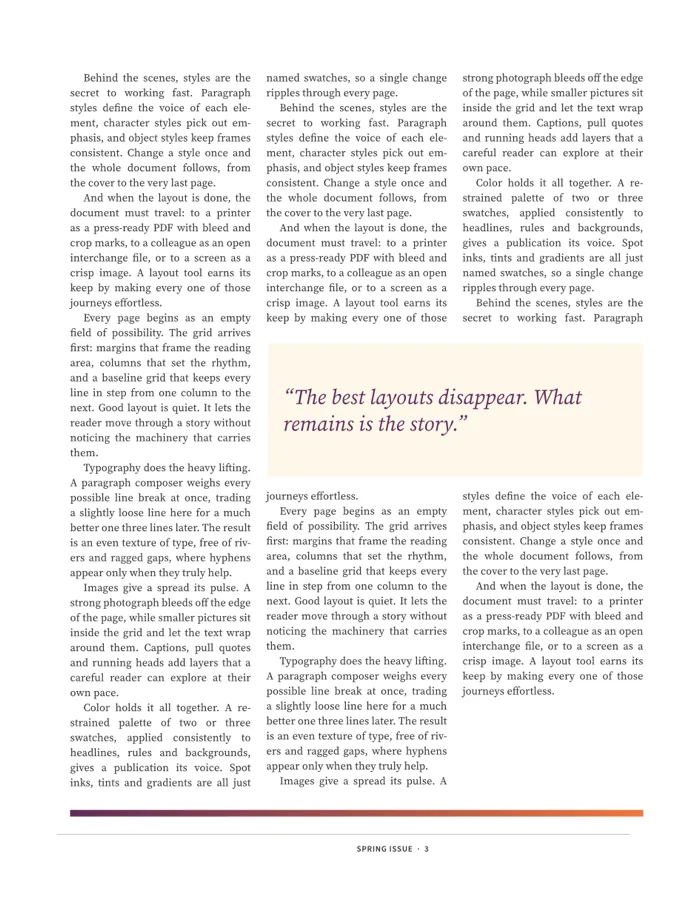
Three columns of justified, hyphenated body text wrapping around a shaded pull quote
image
30
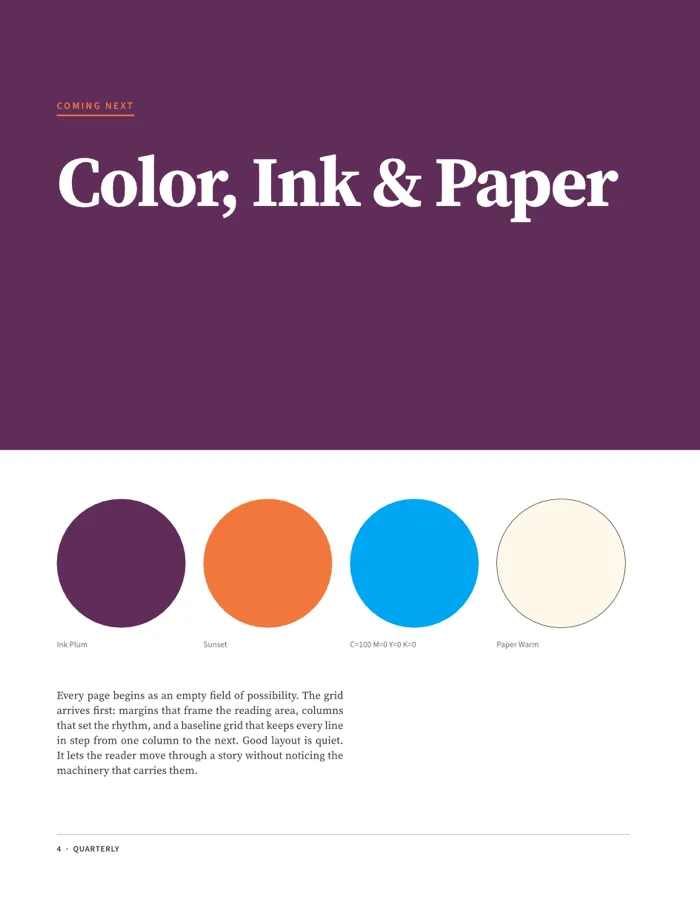
Coming Next page titled Color, Ink and Paper on a plum background with four labeled color swatches
Need something specific?
For specific press inquiries, interview requests, or custom assets, reach out to us on Discord.
Contact us on Discord